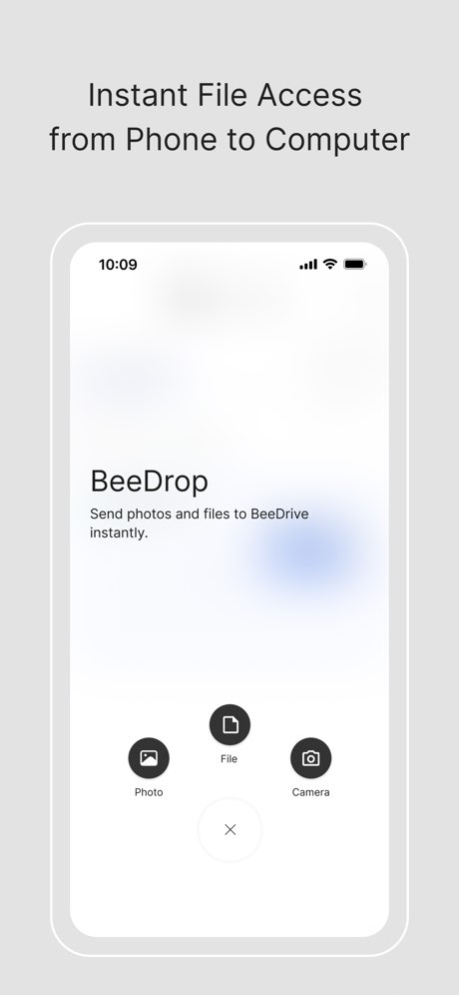
About BeeDrive
BeeDrive, your personal backup hub. Whether it's school or work projects, vacation photos, or just to free up storage space on your phone, BeeDrive gathers all your data scattered across different devices. Wirelessly back...
BeeDrive, your personal backup hub. Whether it's school or work projects, vacation photos, or just to free up storage space on your phone, BeeDrive gathers all your data scattered across different devices. Wirelessly back up photos from your phones & tablets Running out of storage space or reluctant to pay perpetual cloud subscription fees? BeeDrive provides fast photo and video backup over Wi-Fi, letting you free up storage space on your device. BeeDrop files from iOS to Windows Quickly transfer files, photos, and other content to your computer, and they will become immediately available in your File Explorer on your computer.
Version History Added support for photo backup to automatically sort items into year-month folders based on when the items are taken (Requires BeeDrive for desktop 1.4.2 or later version). 1.3.6 03/31/2025 Fixed an issue where HEIC photos backed up from iPhones with iOS 18 or later might not display correctly. 1.3.4 12/24/2024 - Fixed an issue where the backup status might not refresh properly when reopening the mobile app. - Fixed an issue where unexpected crashes might occur when unpairing phones from the computer or performing certain actions during file transfers via BeeDrop. 1.3.2 11/26/2024 Important notes - Starting from this version, the photo taken date will be added to the file name after backups (e.g., IMG_0001_20240731). What's new - Supports browsing photos in timeline view in the BeeDrive mobile app. - Supports viewing and downloading Live Photos in the Photos tab. - Supports swiping photos in the lightbox in the Photos and Files tabs. - Supports individual settings for photo format in both photo backup and BeeDrop. Fixed issues - Fixed an issue where sharing and uploading files from third-party apps to BeeDrive might fail for the first time. - Fixed an issue where pausing uploads of files shared from third-party apps to BeeDrive might fail. - Fixed an issue where the .mov files from Live Photos might not be backed up properly if the backup starts immediately after taking the photos. 1.3.0 08/21/2024 *What's new Supports sharing files from other apps to BeeDrive via BeeDrop. Enhanced the user experience of setting up photo backups. *Fixed issues Fixed an issue where zooming in on a photo during browsing might cause unexpected crashes. 1.2.1 04/10/2024 **What's new** - Supports browsing, downloading, and sharing files in the BeeDrive mobile app. **Fixed issues** - Enhanced detection capability when unplugging BeeDrive from a computer. - Enhanced stability of BeeDrop feature when the mobile device is in low battery or power-saving mode. - Enhanced the user interface of selecting a destination folder for photo backup. - Fixed an issue where photos of HEIC format might be rotated after transferring via BeeDrop. **Known Issues** - BeeDrive’s hidden folders will be displayed when browsing files in the mobile app if it was used on Windows computers with earlier versions of the desktop software and used as an external drive on a Mac. 1.2.0 12/12/2023 - Supports photo backup and file transfer via BeeDrop when your mobile device and computer are on separate networks (e.g., cellular data, guest Wi-Fi, public Wi-Fi, and other networks with wireless isolation enabled). - Enhanced backup stability to reduce interruptions during photo backup. - Enhanced the BeeDrop feature to avoid transfer interruption when the mobile device is auto-locked. - Supports choosing to use cellular data to back up photos. - Fixed an issue where a BeeDrive folder might not be opened through the native Files app on iOS when the folder contains certain file formats. 1.1.0 08/30/2023 1.0.0 06/06/2023
Previous Versions
Here you can find the changelog of BeeDrive since it was posted on our website on 2024-08-23 17:17:08.
The latest version is 1.3.6 and it was updated on 2026-10-10 08:14:25. See below the changes in each version.
BeeDrive version 1.3.6
Updated At: 2026-10-08
Changes: Version History Added support for photo backup to automatically sort items into year-month folders based on when the items are taken (Requires BeeDrive for desktop 1.4.2 or later version). 1.3.6 03/31/2025 Fixed an issue where HEIC photos backed up from iPhones with iOS 18 or later might not display correctly. 1.3.4 12/24/2024 - Fixed an issue where the backup status might not refresh properly when reopening the mobile app.
- Fixed an issue where unexpected crashes might occur when unpairing phones from the computer or performing certain actions during file transfers via BeeDrop. 1.3.2 11/26/2024 Important notes
- Starting from this version, the photo taken date will be added to the file name after backups (e.g., IMG_0001_20240731).
What's new
- Supports browsing photos in timeline view in the BeeDrive mobile app.
- Supports viewing and downloading Live Photos in the Photos tab.
- Supports swiping photos in the lightbox in the Photos and Files tabs.
- Supports individual settings for photo format in both photo backup and BeeDrop.
Fixed issues
- Fixed an issue where sharing and uploading files from third-party apps to BeeDrive might fail for the first time.
- Fixed an issue where pausing uploads of files shared from third-party apps to BeeDrive might fail.
- Fixed an issue where the .mov files from Live Photos might not be backed up properly if the backup starts immediately after taking the photos. 1.3.0 08/21/2024 *What's new
Supports sharing files from other apps to BeeDrive via BeeDrop.
Enhanced the user experience of setting up photo backups.
*Fixed issues
Fixed an issue where zooming in on a photo during browsing might cause unexpected crashes. 1.2.1 04/10/2024 **What's new**
- Supports browsing, downloading, and sharing files in the BeeDrive mobile app.
**Fixed issues**
- Enhanced detection capability when unplugging BeeDrive from a computer.
- Enhanced stability of BeeDrop feature when the mobile device is in low battery or power-saving mode.
- Enhanced the user interface of selecting a destination folder for photo backup.
- Fixed an issue where photos of HEIC format might be rotated after transferring via BeeDrop.
**Known Issues**
- BeeDrive’s hidden folders will be displayed when browsing files in the mobile app if it was used on Windows computers with earlier versions of the desktop software and used as an external drive on a Mac. 1.2.0 12/12/2023 - Supports photo backup and file transfer via BeeDrop when your mobile device and computer are on separate networks (e.g., cellular data, guest Wi-Fi, public Wi-Fi, and other networks with wireless isolation enabled).
- Enhanced backup stability to reduce interruptions during photo backup.
- Enhanced the BeeDrop feature to avoid transfer interruption when the mobile device is auto-locked.
- Supports choosing to use cellular data to back up photos.
- Fixed an issue where a BeeDrive folder might not be opened through the native Files app on iOS when the folder contains certain file formats. 1.1.0 08/30/2023 1.0.0 06/06/2023
BeeDrive version 1.3.6
Updated At: 2025-03-31
Changes: Added support for photo backup to automatically sort items into year-month folders based on when the items are taken (Requires BeeDrive for desktop 1.4.2 or later version).
BeeDrive version 1.3.6
Updated At: 2025-03-31
Changes: Mar 31, 2025
Version 1.3.6
Added support for photo backup to automatically sort items into year-month folders based on when the items are taken (Requires BeeDrive for desktop 1.4.2 or later version).
BeeDrive version 1.3.4
Updated At: 2024-12-24
Changes: Dec 24, 2024
Version 1.3.4
Fixed an issue where HEIC photos backed up from iPhones with iOS 18 or later might not display correctly.
BeeDrive version 1.3.2
Updated At: 2024-11-26
Changes: Nov 26, 2024
Version 1.3.2
- Fixed an issue where the backup status might not refresh properly when reopening the mobile app.
- Fixed an issue where unexpected crashes might occur when unpairing phones from the computer or performing certain actions during file transfers via BeeDrop.
BeeDrive version 1.3.0
Updated At: 2024-08-21
Changes: Aug 21, 2024
Version 1.3.0
Important notes
- Starting from this version, the photo taken date will be added to the file name after backups (e.g., IMG_0001_20240731).
What's new
- Supports browsing photos in timeline view in the BeeDrive mobile app.
- Supports viewing and downloading Live Photos in the Photos tab.
- Supports swiping photos in the lightbox in the Photos and Files tabs.
- Supports individual settings for photo format in both photo backup and BeeDrop.
Fixed issues
- Fixed an issue where sharing and uploading files from third-party apps to BeeDrive might fail for the first time.
- Fixed an issue where pausing uploads of files shared from third-party apps to BeeDrive might fail.
- Fixed an issue where the .mov files from Live Photos might not be backed up properly if the backup starts immediately after taking the photos.
Disclaimer
Official App Store Link
We do not host BeeDrive on our servers. We did not scan it for viruses, adware, spyware or other type of malware. This app is hosted by Apple and passed their terms and conditions to be listed there. We recommend caution when installing it.
The App Store link for BeeDrive is provided to you by apps112.com without any warranties, representations or guarantees of any kind, so access it at your own risk.
If you have questions regarding this particular app contact the publisher directly. For questions about the functionalities of apps112.com contact us.